Create a private
network nearby.
Create private local network with nearby Apple devices, no Wi‑Fi router, no internet. Play together, share files, and stay connected using Apple's peer‑to‑peer wireless.

One tap to a real local network
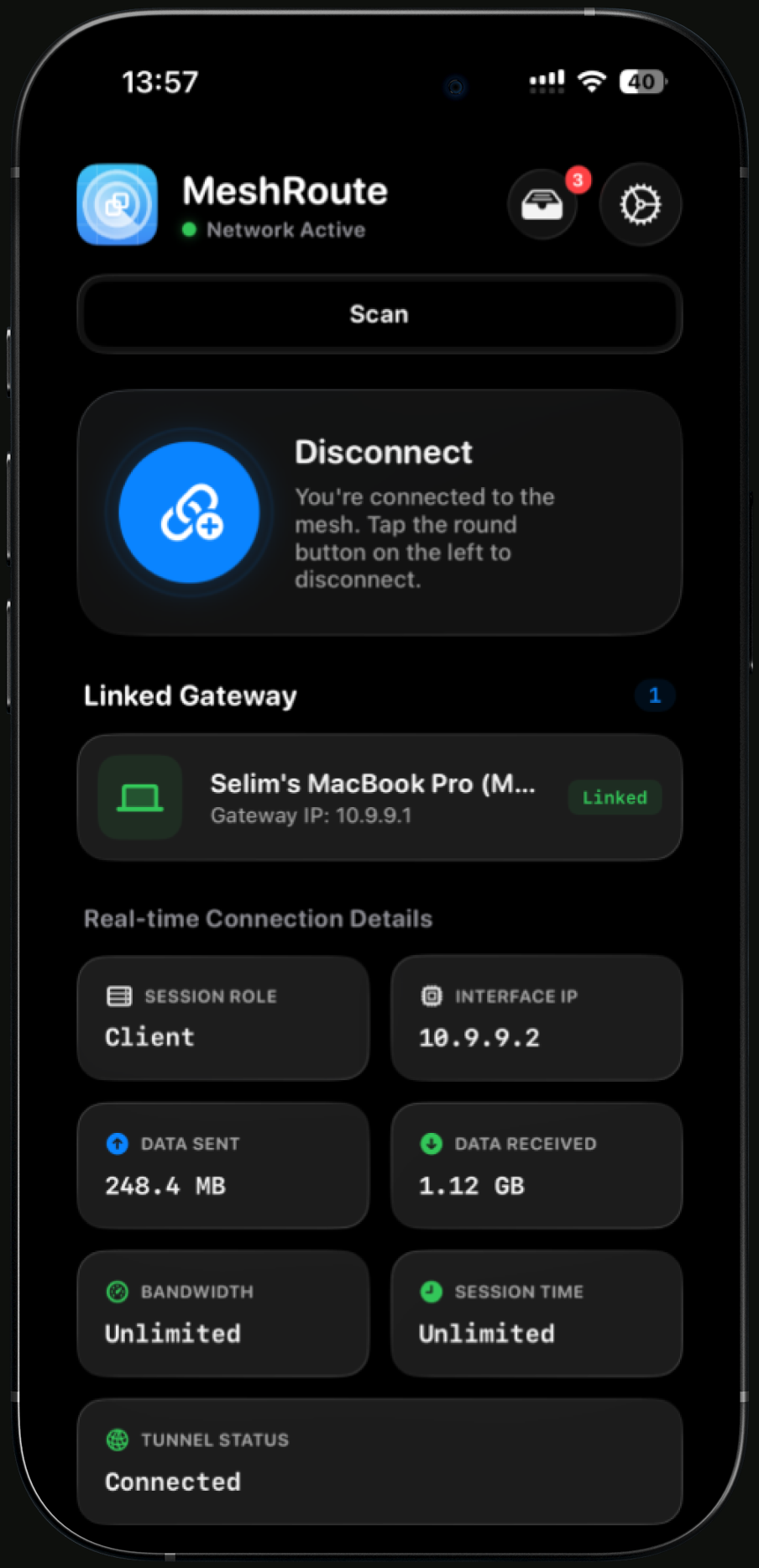
MeshRoute brings everyone onto one shared LAN using Apple's peer-to-peer wireless, with nearby devices found automatically.
Host or join in seconds
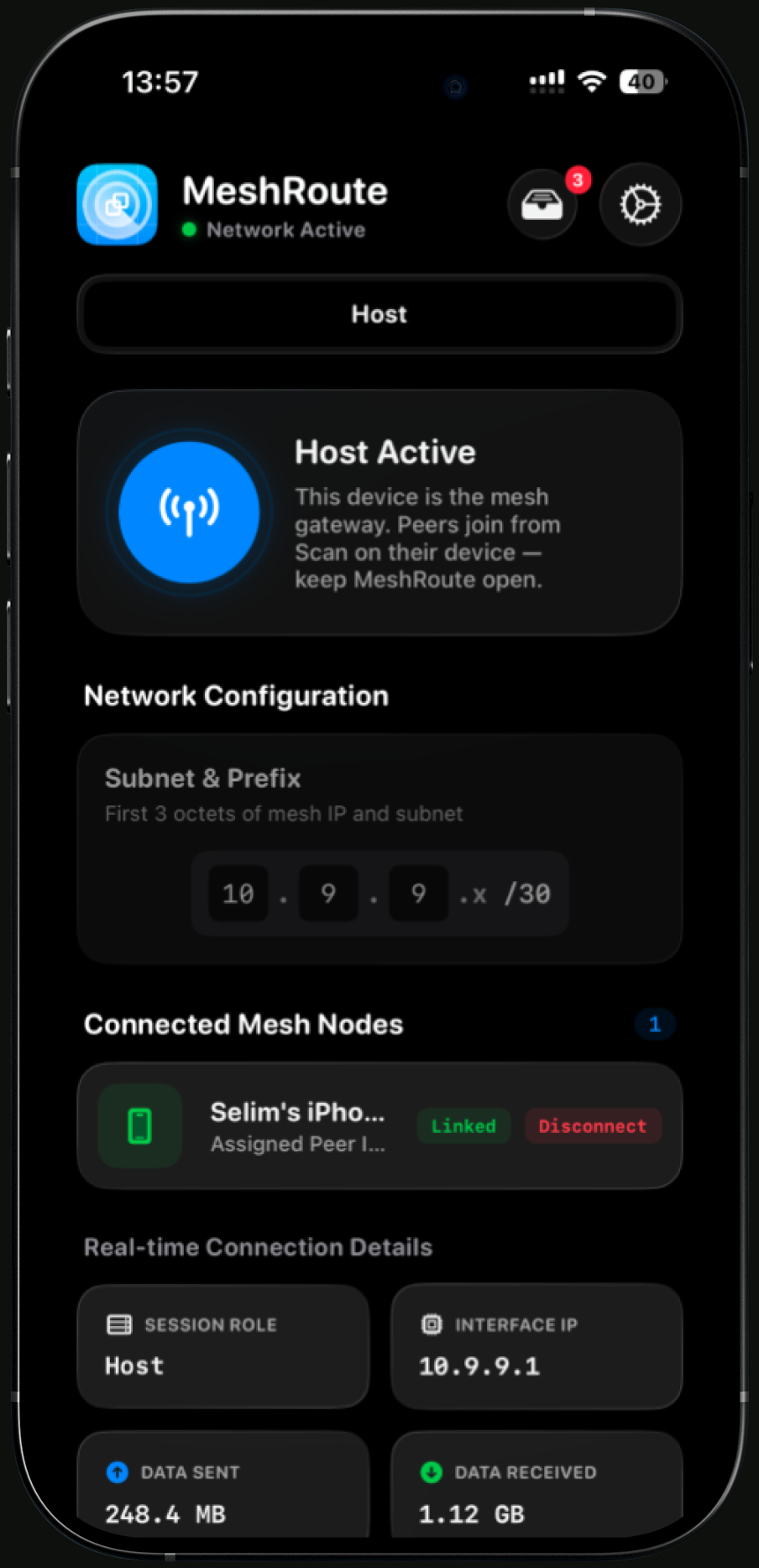
Tap Host to become the gateway, or Scan to find a network nearby and join with one tap. No pairing, no setup.
A real local IP on every device
Set your subnet and each device gets its own address on your private LAN. Apps that work on a normal network just work.
Mesh Drop Box
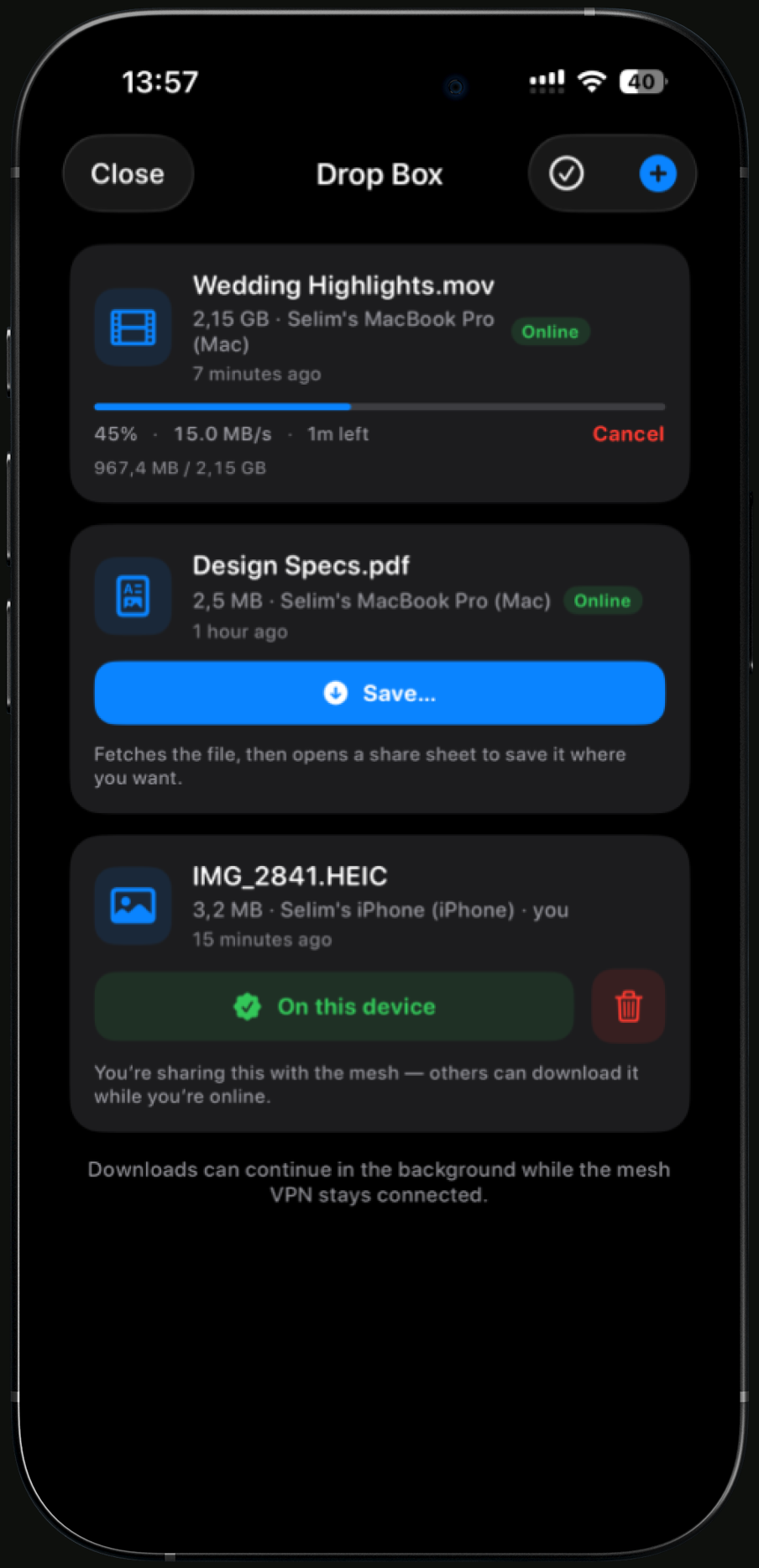
Move files device-to-device over a direct link while everyone is on the same mesh. Downloads continue in the background.
Live connection details
Watch session role, interface IP, data sent and received, bandwidth, and tunnel status update in real time.
Local multiplayer
Play LAN games with friends without a shared Wi-Fi network. Everyone is on the same subnet, wherever you are.
Stays connected in the background
Keep the mesh alive while you switch apps on supported devices. Your traffic keeps flowing device-to-device.
Three steps, no infrastructure
One device hosts the network. Everyone else scans and joins. From there it is a normal LAN.
One device hosts
Tap Host to become the mesh gateway. Set the first three octets of your subnet and you are live.
Others scan & join
Nearby devices find your network over Bonjour and connect with a single tap. No password, no router.
Everyone gets an address
Each peer receives its own local IP. Ping, play, stream locally, or transfer files device-to-device.
Built for clarity
Host, join, monitor, and share. Every screen shows exactly what your mesh is doing.
Standard tech you already trust
No custom radios, no accounts to start. MeshRoute is built on the same networking stack your apps already use.
Peer-to-peer wireless
The same family of radio that powers AirDrop: direct, device-to-device.
Automatic nearby discovery
Nearby devices are found automatically. No IP addresses to type.
Standard IPv4 networking
A real local subnet, so the apps you already use keep working.
Privacy-minded by design
Traffic stays between your nearby devices. No account required to start a mesh.
Pay once, keep Pro forever. No subscription, no renewals.
- Custom Base IP
- Larger Subnets
- Unlimited Bandwidth
- Unlimited Session Time
Secure checkout by Stripe · One Mac per license
Your license key arrives by email and unlocks Pro on your Mac. Already bought?
Take your network with you
Get MeshRoute and turn the devices around you into one private network, anywhere, no internet required.